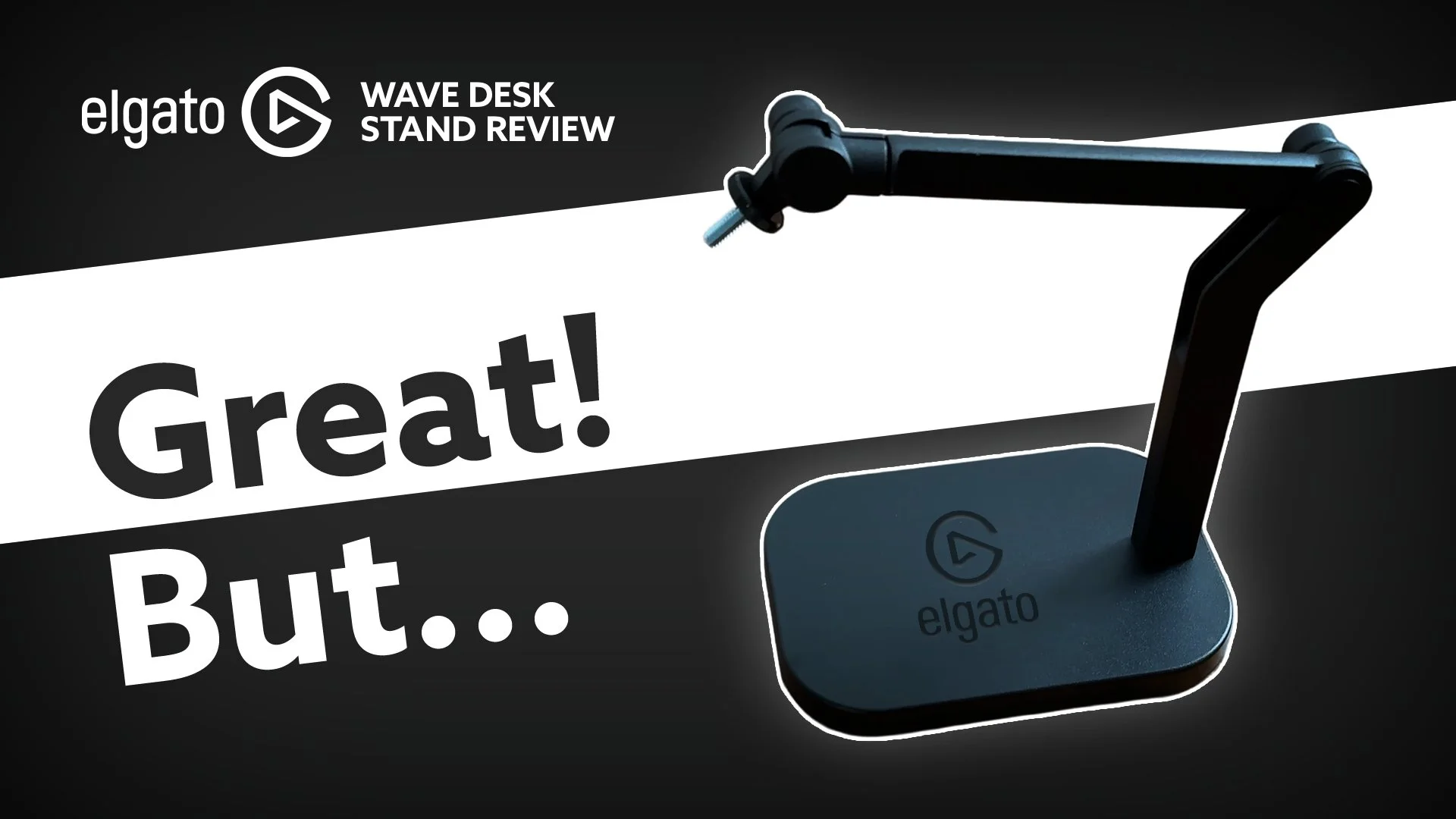
If you're building a home recording studio, you've already discovered that you can’t really have a microphone without some sort of stand to get it in the right position. The desk stand versus boom arm debate is one of the most common questions I see from new podcasters and content creators, and the answer isn't as straightforward as most online advice suggests.
Some people swear by the boom arm.
Others would rather a neat little desk stand.
After testing the Elgato Wave Desk Stand (provided by Elgato for review) and configuring studio setups for clients at Bamby Media for years, I can tell you exactly when desk stands work, when boom arms are the better choice, and what factors actually matter for your specific setup.
Unboxing and Build Quality
Let’s start with the basics: packaging and first impressions. I’m always pleased when companies keep their environmental impact in check, and Elgato nailed it here: minimal plastic, simple unboxing, and easy assembly. The stand itself feels sturdy and reassuringly heavy, which is exactly what you want when it’s tasked with holding up a potentially bulky microphone.
The design is sleek and minimal, with a flat base and two simple arm pieces. It comes with cable management attachments, so your setup stays tidy. The all-black finish blends seamlessly into most studio environments, whether you’re working from a dedicated office or a makeshift corner in your living room.
Is it Strong Enough to Hold Your Mic?
One of the biggest concerns for creators is whether a stand can handle their microphone’s weight without slowly sagging over time. The Elgato Wave Desk Stand is rated to support up to 1 kilogram, which is more than enough for most mics on the market. For context, the industry-standard Shure SM7dB weighs in at 837 grams, and the sE DCM8 I’m currently using is 850 grams. Both sit comfortably below the stand’s max capacity, and in my testing, there’s been zero sagging or “flop”, even with heavier mics like these.
The tightening knobs are robust, so you can trust that your mic will stay exactly where you want it, even during long recording sessions.
Desk Stand: When Is It the Right Choice?
Desk stands definitely shine in certain scenarios:
On-location podcast recordings: If you’re travelling or shooting in different spaces, a desk stand is a lifesaver. It’s compact, easy to set up, and doesn’t require clamping to a desk (which can be a pain if you don’t know what kind of furniture you’ll be working with).
Multi-person interviews: When you’ve got several people around a table, individual desk stands make it easy to get everyone’s mic at the right height. There is no fussing with desk edges or awkward mounting.
Minimalist setups: If you want something that looks clean on camera and doesn’t dominate your workspace, a desk stand is a solid bet.
It’s also worth noting that the Elgato Wave Desk Stand is easy to transport. Yes, it’s got a bit of a heavy bass, but that’s a trade-off for stability. Toss it in your bag, and you’re good to go.
The Downside: Desk Stands and Everyday Desk Use
If you’re planning to use your mic at your main desk or workstation where you’re constantly typing, using your mouse, or switching between tasks, a desk stand can quickly become a nuisance.
Here’s why:
The base takes up valuable desk real estate.
It can get in the way of your keyboard and mouse, no matter where you position it.
You can’t easily move it out of the way when you don’t need it.
If you’re streaming, recording videos, or working at your computer for extended periods, you’ll likely find yourself frustrated by the stand’s footprint. In these cases, a boom arm is almost always the better choice.
Boom Arms: The Flexible Alternative
Boom arms are the unsung heroes of the home studio. They clamp to the edge of your desk, freeing up space and allowing you to position your mic exactly where you need it, then swing it out of the way when you’re done. For creators who multitask or need a clean workspace, a boom arm is a game-changer.
I’ve tested the Elgato Wave Pro Arm and the Rode PSA1+, and both offer excellent flexibility and stability. The only caveat: make sure your desk can accommodate the clamp, and be aware that some desks with thick edges or unusual lips might pose a challenge. The Rode PSA1+ does come with an option for you to drill a hole in your desk though, if you want to mount it straight into the desk.
Price, Portability, and Practicality
When it comes to price, the Elgato Wave Desk Stand is a great value for what you get, especially if you’re often on the move or need a simple, reliable solution for interviews and on-location shoots. It’s quick to set up, easy to pack, and doesn’t require any special knowledge or tools.
Boom arms, while sometimes pricier, pay off in convenience and long-term usability for stationary setups. If you’re a streamer, podcaster, or video creator who spends hours at your desk, the investment is well worth it.
Which Should You Choose?
Choose a desk stand if: You record on location, need portability, or want a minimal setup for interviews and roundtable discussions.
Choose a boom arm if: You work at your desk, need to keep your workspace clear, or want maximum flexibility for streaming, recording, or multitasking.
Both options have their place in a content creator’s toolkit. The key is to match your gear to your workflow, not the other way around.
Choosing the right mic stand or boom arm can make a world of difference in your content creation process. Don’t underestimate the impact of a comfortable, clutter-free setup. It’s the foundation for great audio and a smooth workflow.
Full disclosure: Elgato sent me the Wave Desk Stand to try out, but this review is entirely my own. No payment, no script, no expectations. Just my honest take after real-world use. If you decide to purchase through the links below, I may earn a small commission as an Amazon affiliate (thank you in advance).
Transcript:
-
[00:00:00] Brianna: Welcome back to my face. My name is Brianna, and I'm the head honcho here at Bamby Media. I hope you are doing well today. We are going to. Have a little look at and review of the Elgato wave desk stand. Elgato was kind enough to send me this stand, and in fact it was a little while ago and I have been using it to see if I like it.
[00:00:22] So let's get straight into it. The first thing is just the box itself, how it shipped. I really like it when companies ship with not very much plastic, and in this case, Elgato has done a fantastic job of keeping their actual environmental. Impact in this way quite small. So you'll see it doesn't come with much at all.
[00:00:41] It's really quite simple to unbox to take out of the box and then to put together. It feels really sturdy. It is heavy, and that's a good thing because it has to be able to actually facilitate a microphone on it and microphones can be quite bulky and heavy. So you want the [00:01:00] stand to be heavy as well.
[00:01:01] It's a fairly small profile. It has a nice flat surface at the base, and then just two little arm pieces. It also comes with some attachments so that you can attach your cable of your, like your lead of your microphone to it really nicely so that it looks pretty good. Overall, I think the. Look of this stand is good.
[00:01:22] There's not much I don't like about it. It's black. It blends into the rest of the decor in this particular office, but also blends into other situations as well. The mechanisms are easy to figure out news. The tightening norms are very strong, so you can be sure that if you have a heavier microphone on here, your stand is not going to just.
[00:01:44] Flop down and die a horrible death. If we look at what they say the rating capacity is for this particular microphone, it says it can support up to one kilogram of microphone, and that [00:02:00] is more than enough for most microphones. In fact, if we look at the heavy. Mothers for microphones, we've got the shore SM seven db, which is in fairly industry standard at this point.
[00:02:11] For microphones, it is 837 grams, so that is well below the one kilogram that it is rated for. Here at Elgato wave. For this particular desk stand, the SE CM eight that I'm currently using that is 850 grams. So similar weight. It is quite. Heavy when you feel it, but it feels really sturdy and yeah, no flopping down.
[00:02:34] No problems here with this stand on this desk or anywhere else that I've used it. So let's get into the actual functionality, why or where you would use a desk stand versus. A like boom arm. Okay. A desk stand is great in those settings where you are in a podcast recording environment. Maybe you are shooting on location, [00:03:00] you've got a desk.
[00:03:01] It's fairly easy to set up. You know, you just plunk it down and you set it up and you're ready to go. It doesn't matter if it's in shot, it still looks minimal enough to do that. It's a small F footprint for you to carry around and it's. Easy. So a desk where you are interviewing people, where there's multiple people and they all need a desk stand, and you all wanna get it to the right height.
[00:03:22] This is a great use case for this particular type of stand. If you are in your office, if you're in your studio, if you have a mouse and you're moving your mouse around and you're on your computer, this is not. The time or the place to use a desk stand. Why? Because the actual footprint of it is kind of a pain in the ass, right?
[00:03:44] You have a mouse, you're trying to sort of click around and do your thing on your computer, and the stand is in your way. It doesn't really matter where it is, it's in the way because if you put it right in front of you, like if I do this, then I have to move like my keyboard out of the way, and [00:04:00] then I'm like trying to get past the.
[00:04:02] Stand to get to my keyboard. And so if I move it off to the side, then that's where my mouse is. And so then that's in the way of my mouse, and then there's a lead in the way and it's annoying. So a desk stand when you are at your desk using it for other things. Do not get this for that purpose because it will piss you off.
[00:04:23] But it is great in interview settings. Because it's less stuff to bring. We are on location, a fair bit shooting podcasts for people. We've bought the desk stand, Elgato wave, and we've bought the road PS A one plus, and we've bought the Elgato wave low profile pro arm as well. Just to see kind of how they all function.
[00:04:45] And the desk stand is the simplest for sure. It doesn't matter like what kind of mechanism or how thick the desk is or anything too. You won't know these things before you potentially go and record on location. If you've got a desk stand and they don't have a [00:05:00] bunch of stuff that they have to navigate.
[00:05:02] That's fantastic. Just use this, use this. It's great. It's a good price. Great for those situations, if you use a desk mounted stand where you're kind of screwing it onto it, sometimes the like depth of it and like there's a lip on the desk and it doesn't fit properly, and then you've got this desk mounted thing that's actually annoying and, and kind of a pain and it does take up a little bit more room in the shot as well, whereas the desk mounted one is great.
[00:05:30] If I bring the other one into shot here, now I've got the, the other Elga rdo. So I've done a review of this Elga Ddo Wave Pro. This is the fancy low profile and I've mounted it, and this is fantastic because nothing's getting in the way when I'm have my. I can see exactly what's happening below me. The boom arm works really well, and then when I'm not recording, I can just get it out of the way.
[00:05:57] And it's not in my shot anymore. I don't [00:06:00] need it. It's over there. I don't even have to think about it. The desk one, I do have to think about it 'cause it's right there all the time and it's annoying and I hate it. Definitely purchase it. If you're going on location, if you're gonna be in different locations, if you need it to be at the right height, which you should absolutely always have the mic at the right height.
[00:06:18] When you're recording people, it's easy to put in your bag. Yes, it's a little bit heavy, but there's not a lot to it. It's so easy to set up. It is fantastic. For that format. Okay. If you are at your desk, if you are streaming, if you're recording and you're also like loom videos and whatever, and you're doing your mouse and you're doing other things, definitely get a boom arm.
[00:06:40] And the recommendation I have is for the one that I just. Brought into into shot here as well, and I do have a separate review on it on our YouTube channel so that you can see kind of the further mechanisms and all that sort of thing. With that. Get that one for your desk, get that for your streaming.
[00:06:55] It'll work way better. Yes, it's a little bit more expensive, but it works way better for [00:07:00] what you actually need it to do. That is my review. That's. Setup. That's my use cases for the boom arm versus this lovely Elgato desk stand. Elgato thank you so much for sending this to me. All of these views are my own.
[00:07:16] They have not paid me to say anything. They have not told me I needed to record a video. They haven't told me anything. They just sent me this and said, here you go. Have a try it, see what you think. So I really love when companies do that because it makes me want to record videos. For them. Uh, so yeah, I have not said anything that they told me I need to say.
[00:07:37] These are completely my views. I hope that this has been helpful for you to make a decision as to when and why you would purchase a desk, stand over a boom arm what the use cases are. If you wanna purchase either of these, there will be links in the description below. We are Amazon affiliates, so we do get a d Danny little commission if you do purchase something after clicking those links.
[00:07:59] Thank [00:08:00] you for doing that in advance if you would like to do that. Otherwise, just go and enjoy your day. I hope it's great and I will be back soon with more lovely content just for you.
BAMBY MEDIA LINKS:
Monetising Your Podcast Course
GEAR WE USE HERE AT BAMBY MEDIA:
Aputure Amaran 200d LED Video Light